
Headless Shopify,built for real —not a template reskin.
A headless build pairs a Next.js storefront with the Shopify Storefront API and a real CMS layer — for brands that have hit Liquid's ceiling on speed, content, or custom checkout. We architect it properly, not by reskinning a Hydrogen starter. And if headless is the wrong call for you, we'll say so before you spend a dollar.
By Manpreet Singh, Founder · Proscube
BFCM 202620% offup to 50% on larger scopesEnds 15 Nov
$32,000–$80,000+$40,000–$100,000+
Book by 15 November and 20% off is guaranteed — the price above. Bigger scopes earn more, as far as 50%, which we work out on the call. In December it all goes back to standard.
Proof
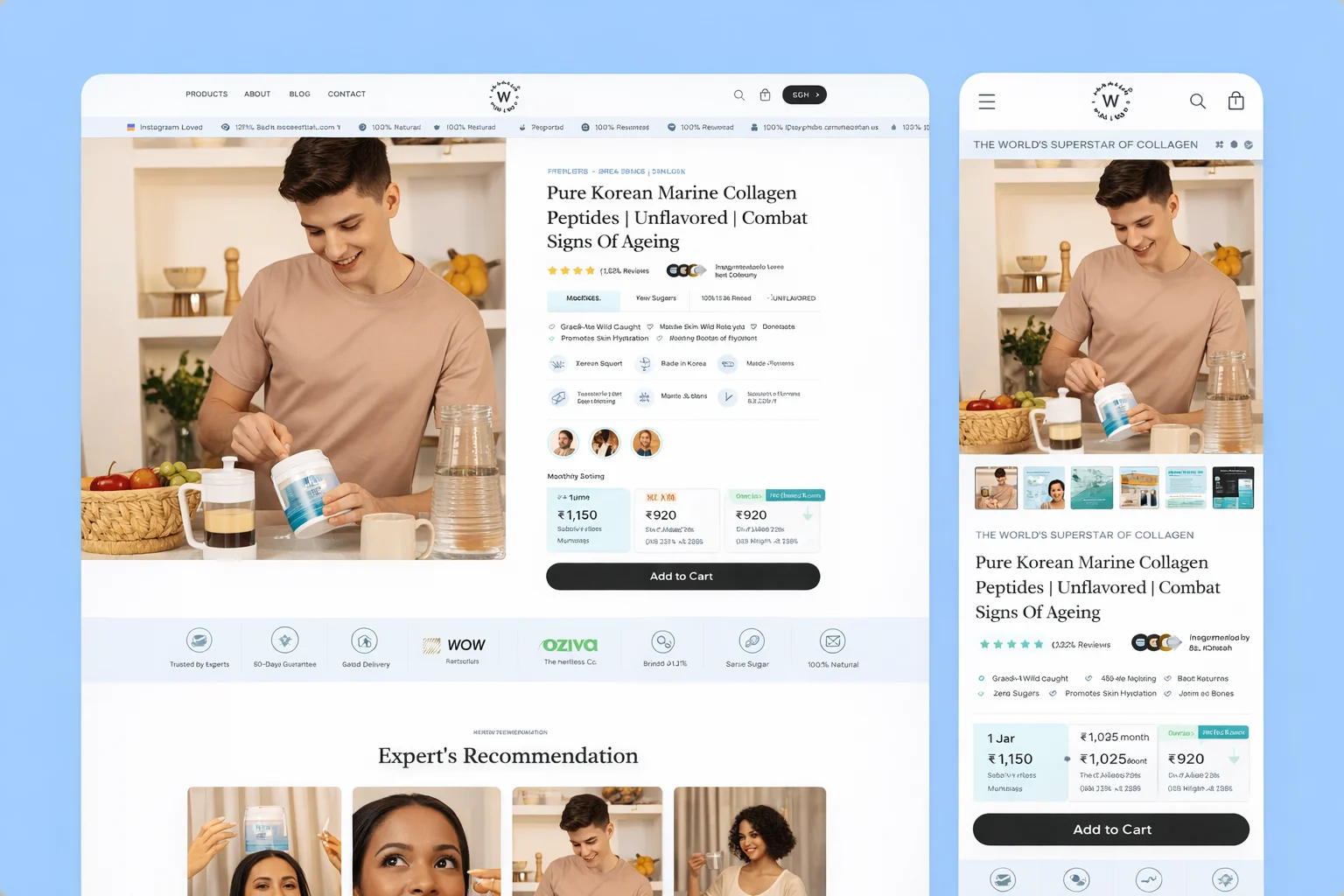
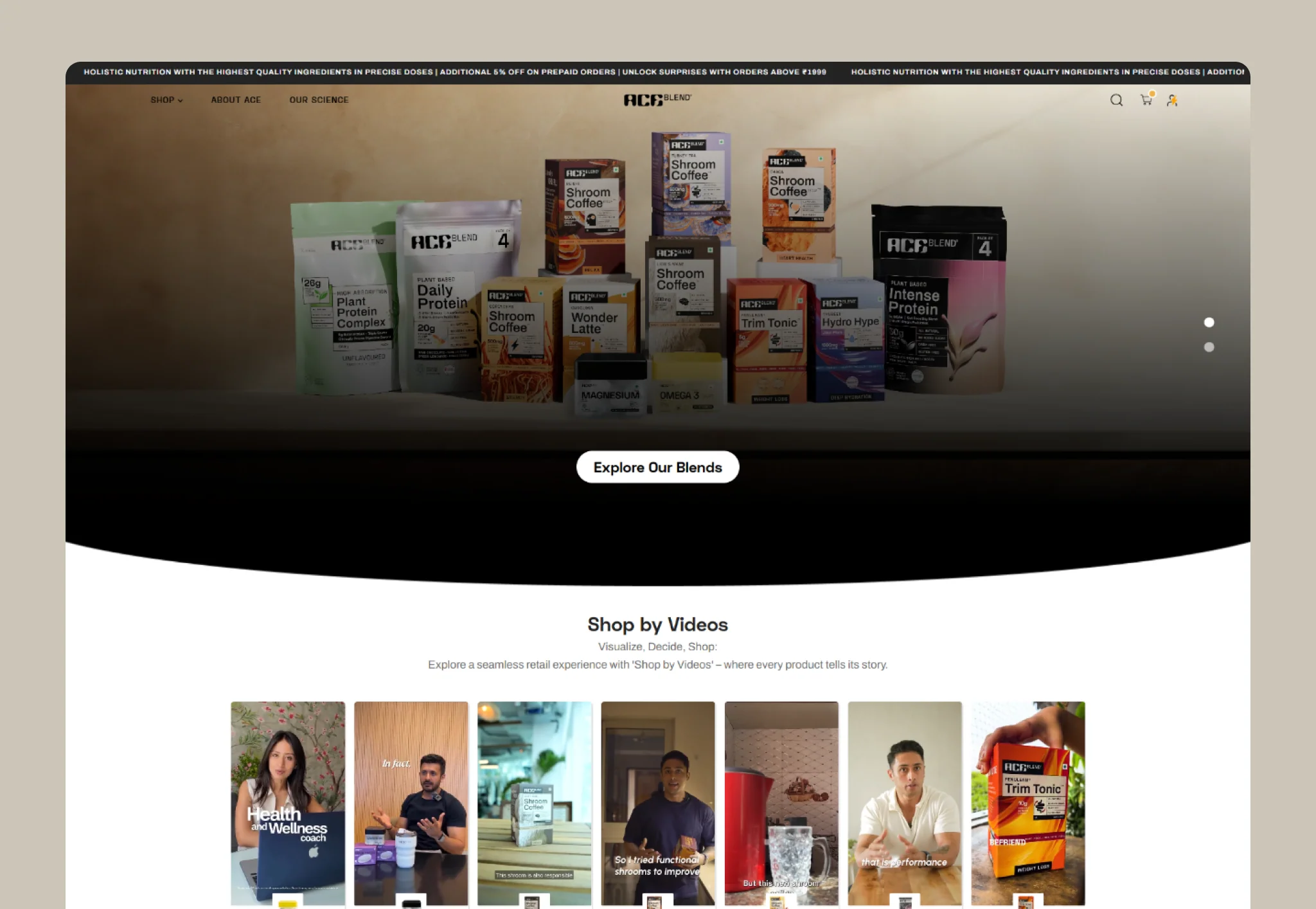
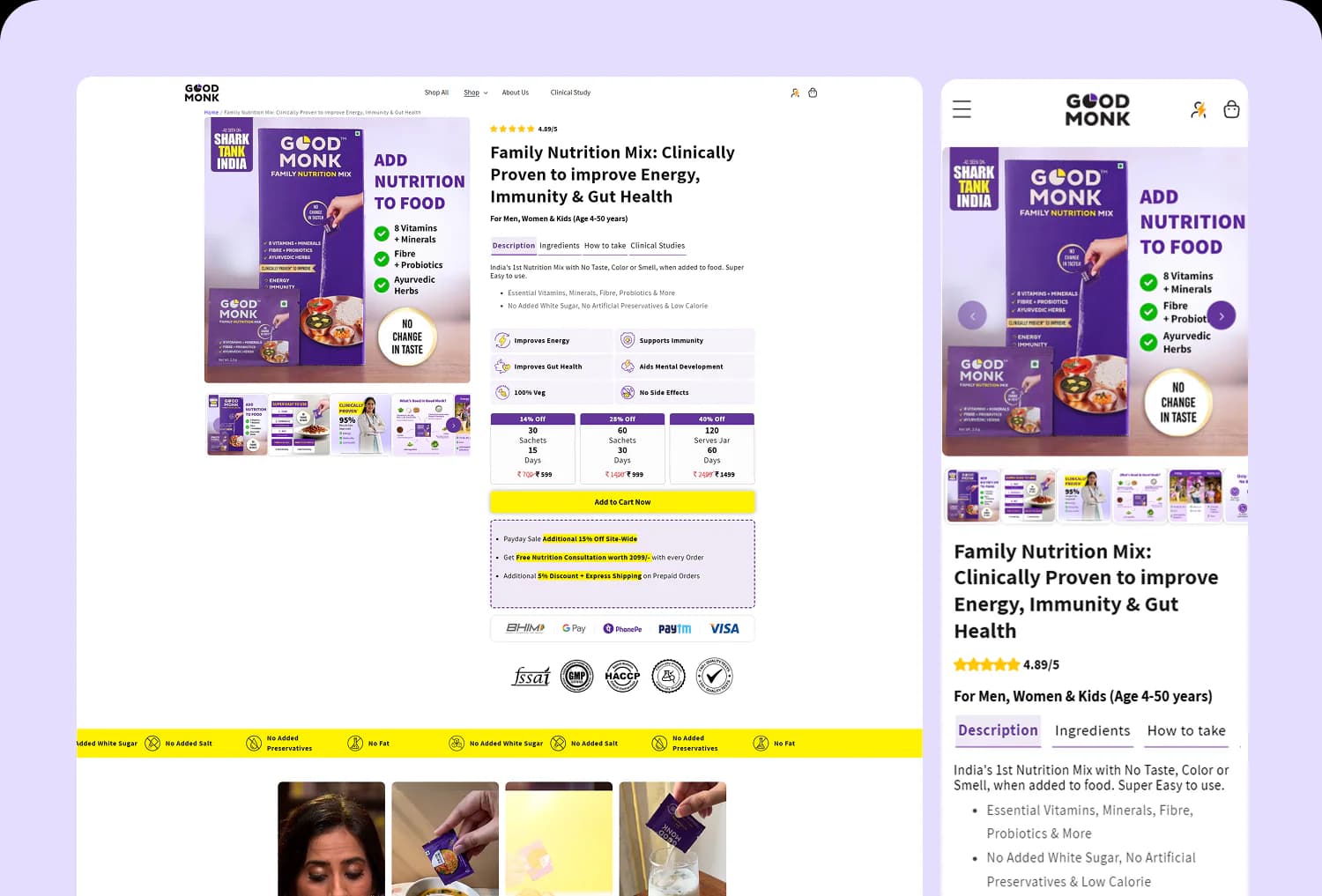
Stores we have built.


When a Liquid theme becomes the ceiling
Most Shopify stores never need to go headless, and we'll be the first to tell you so. But there's a point some brands hit where the theme stops being the thing that ships your ideas and starts being the thing that blocks them. You've felt it if you're here.
It usually shows up in one of four ways. Speed: you've compressed the images, deferred the scripts, trimmed the apps, and the store still feels heavy on a mid-range phone — because a Liquid theme renders everything server-side, app by app, with little control over what loads when. Content: your team wants editorial pages, rich product storytelling, localized landing pages, and you're modeling all of it through metafields and theme sections that fight you at every turn. Apps: every feature you added installed another script, and now a dozen third-party tags are deciding your Core Web Vitals for you. Or checkout and UX: there's an experience you can picture clearly — a configurator, a quiz-driven flow, a bundle builder — that a theme simply can't express.
Headless is the answer to those specific bottlenecks. You decouple the storefront — the part customers see and interact with — from Shopify's back end, and rebuild it as a Next.js application that talks to Shopify through the Storefront API. You keep Shopify for what it's genuinely best at (catalog, orders, payments, checkout, admin) and take full control of the front end: how fast it loads, how content is modeled, how the experience behaves. Done right, it removes the ceiling. Done wrong — and most "headless" projects are done wrong — it just adds cost and complexity for a result you could have gotten from a well-built theme.
Real headless vs a Hydrogen template with a new coat of paint
Here's the uncomfortable truth about this corner of the market: most agencies that sell "headless" ship a Hydrogen starter template with the colors changed and a few components swapped. It looks modern in the pitch. Underneath, it's a thin layer over a boilerplate, with the content still hard-coded, no real CMS, and an architecture nobody can extend six months later.
That's not what headless is for. The entire point is control — over performance, content, and experience — and you don't get control from a template you didn't architect. When we build headless, we design the data layer first: how products, collections, and content flow from Shopify and your CMS into the storefront, how pages are generated and cached, where the performance budget is spent. The Next.js front end and the Storefront API integration are built around your catalog and your content model, not bent to fit a starter's assumptions.
The difference is invisible in a screenshot and obvious in a year. A real build is one your team can edit without a developer, one that stays fast as you add pages, one where adding a market or a content type is a planned change instead of a rewrite. A reskinned template is a thing you replace. We'd rather you only do this once.
What a headless build includes
Scope depends on your catalog and content needs, but a real headless engagement covers:
Next.js storefront
A custom storefront built in Next.js — server components, static generation where it helps, and a component system your team can grow, not a starter template.
Shopify Storefront API integration
Products, collections, cart, and customer data wired through the Storefront API — Shopify stays the source of truth for catalog, orders, and checkout.
Custom CMS layer
A real headless CMS (Sanity, Contentful, or similar) for editorial pages, rich product content, and localized landing pages your marketing team owns.
Performance budget & Core Web Vitals
A set performance budget, image and font strategy, and code-splitting — built to hold LCP, CLS, and INP in the green as the site grows.
SEO architecture
Server-rendered pages, clean URLs, metadata, structured data, sitemaps, and a redirect plan — so going headless protects rankings instead of risking them.
Checkout integration
Cart on your storefront, handed off to Shopify Checkout (or Checkout Extensibility on Plus) — PCI scope and conversion-critical flow stay on Shopify.
Analytics & tracking
GA4, server-side events where it matters, and consent handling — set up so a decoupled front end doesn’t quietly break your data.
Deployment & infrastructure
Hosting on Vercel or similar, CI/CD, preview environments, and a maintenance plan — the operational side most "headless" projects forget.
When NOT to go headless
This is the most important section on the page, so we'll be blunt: most brands should not go headless. If you're considering it because it sounds modern, or because a competitor did it, or because someone told you it's "the future" — stop. Headless is a tool for specific bottlenecks, not a status upgrade.
Stay on a well-built Liquid theme if most of these are true:
- You're under roughly $2M/year in revenue. Below that, the build cost and ongoing maintenance rarely pay back, and a well-optimized theme serves you better for less.
- Your Core Web Vitals are already green — LCP under 2.5s and CLS under 0.1 on a mid-range phone. If a theme already gets you there, headless won't meaningfully beat it.
- Your catalog is straightforward: up to a few hundred SKUs with standard variants. Themes handle that scale comfortably.
- You sell in one market, one currency, one language. Multi-region is one of the few things that genuinely justifies headless; not needing it is a reason to stay.
- Your content is normal — product pages, collections, and a handful of marketing pages, not a localized editorial library.
- You have only a few integrations and no plan to add deep custom functionality.
- You don't have the budget or a developer relationship to maintain a custom application long-term.
Go headless when the bottleneck is genuinely architectural and you can name it:
- $2M+ in revenue with a performance problem that survives proper theme optimization.
- Hundreds to thousands of SKUs, or a content model — rich editorial, localized landing pages — that Liquid can't express.
- Multi-region or multi-currency selling that needs real routing and localization.
- App-script bloat from a dozen front-end apps that's wrecking your Core Web Vitals.
- A custom experience — configurator, quiz-driven flow, bundle builder — that needs a real application underneath it.
If you're not sure which list you're on, that's exactly what the readiness check is for — and the honest answer is sometimes "don't."
How a headless build runs
Readiness & architecture
We audit your current store, confirm headless is actually the right call, and design the data and content architecture before any UI is built.
Design & component system
Design and a reusable component system, reviewed with you — the building blocks of the storefront, not one-off pages.
Build & integrate
Next.js storefront, Storefront API, CMS, and checkout — built in sprints with working previews and the performance budget enforced throughout.
Launch & optimize
A rehearsed cutover with redirects and monitoring, then performance and content iteration as you grow.
What a headless build costs
Headless is a bigger investment than a theme, and the range is wide because the scope is. Most headless builds with us land between $40,000 and $80,000. Complex programs — multi-region or B2B storefronts, deep CMS work, or heavy custom functionality — run $100,000 and up. There's also ongoing cost: hosting (typically a few hundred dollars a month at scale) and maintenance, which is real and which we'll size honestly up front.
What moves the number:
- Content complexity: a standard catalog is very different from a rich editorial site with localized content across markets.
- Custom functionality: configurators, quizzes, bundle builders, and the like are application features, not theme settings.
- Integrations: ERP, PIM, subscriptions, and search each add a workstream.
- Markets: every region adds currency, content, and routing work.
What's not included: the Shopify subscription, paid media, and content production. We scope fixed after the readiness check, and for larger builds we phase the work so you're seeing value in stages — not signing a six-figure check on faith.
Ready to talk?
Tell us where Liquid is holding you back — speed, content modeling, checkout — and we'll tell you honestly whether headless is the fix or overkill.
Reply within 1 business day. Real read, not a sales call.
Who this is for
Headless is for brands doing roughly $2M+ a year who've hit a real, nameable ceiling — a technical-aware founder or CTO who can point at the bottleneck: the store is slow in a way a theme can't fix, the content model has outgrown Liquid, app scripts are wrecking performance, or there's a custom experience the business needs that a theme can't carry.
Who it's not for:
- Brands chasing "modern" with no specific bottleneck. You'll spend a lot to end up roughly where a good theme would have put you.
- Teams without the budget or appetite to maintain a custom application. This is an ongoing commitment, not a one-time build.
- Stores whose real problem is conversion or merchandising. Fix that first; it's cheaper and it pays back faster.
If headless is overkill for where you are, we'll tell you on the first call — and point you at the work that actually moves your numbers.

Real headless vs the shortcuts
| Proscube headless | Hydrogen-template shop | Liquid theme | In-house build | |
|---|---|---|---|---|
| Architecture | Designed data + content layer | Reskinned starter | Theme + metafields | Depends on the team |
| CMS | Real headless CMS | Often hard-coded | Theme sections | Varies |
| Performance control | Full, budgeted | Inherited from template | Limited | Depends |
| Extensibility | Built to grow | Replace in a year | Theme-bound | Single point of failure |
| Honest fit advice | We say no when it fits | Sells the build | N/A | N/A |
| Typical cost | $40K–$100K+ | Varies widely | $8K–$30K | Salary + ramp |
Related reading
When you have a specific, architectural bottleneck a theme can't solve: a performance problem that survives proper optimization, a content model Liquid can't express, app-script bloat you can't escape, or a custom experience that needs a real application underneath it. If your store is fast, your content needs are normal, and your bottleneck is conversion rather than the stack, headless usually isn't worth it — a well-built theme or a CRO engagement will return more for less. The readiness check exists to answer this honestly, and the answer is sometimes no.
For most brands we build on Next.js. It's the more mature ecosystem, has the broadest hosting and tooling support, and integrates cleanly with the Shopify Storefront API and a separate headless CMS. Hydrogen (Shopify's own React framework) is a reasonable choice when you want to stay tightly inside Shopify's world and host on Oxygen. Both talk to the same Storefront API; the difference is ecosystem and flexibility. We'll recommend based on your content stack, team, and where you want to host — not on what's trendy.
Some will, some won't, and that's part of the planning. Apps that work in the Shopify admin or back end (fulfillment, ERP syncs, email, reviews with an API) carry over fine. Apps that inject front-end widgets into your theme do not automatically appear on a headless storefront — their functionality has to be rebuilt or integrated through the app's API. We audit your app stack during the readiness phase and tell you exactly what carries over, what gets rebuilt, and what you can drop.
Done properly, headless is neutral-to-positive for SEO — pages are server-rendered, fast, and cleanly structured, which search engines reward. Done carelessly, it's a risk: client-only rendering, broken redirects, or lost metadata can cost you rankings. We treat SEO as part of the architecture, not a cleanup task — server rendering, URL mapping, 301 redirects, metadata, structured data, and sitemaps are all in scope, and we monitor rankings through the cutover.
It stays on Shopify, and that's by design. Your custom storefront handles browsing and cart; the actual checkout is handed off to Shopify Checkout (or Checkout Extensibility on Plus). That keeps the conversion-critical, PCI-sensitive part of the funnel on Shopify's hardened, high-converting infrastructure, while you control everything up to it. You get the custom experience where it matters and Shopify's reliability where it counts.
Higher than a theme, and we won't pretend otherwise — that's the honest trade-off. A headless storefront is a custom application: it needs hosting, dependency updates, and a developer relationship for changes beyond content. Day-to-day content edits happen in the CMS without a developer, but the codebase itself needs ongoing care. We size this up front and offer maintenance retainers, so the ongoing cost is a number you agreed to, not a surprise.
Got a project?
Ready to break through Liquid's ceiling?
Send us your store URL or your idea. You’ll hear back within one business day — an honest read on whether we’re the right fit. No sales call, no slide deck.